Local-first & private
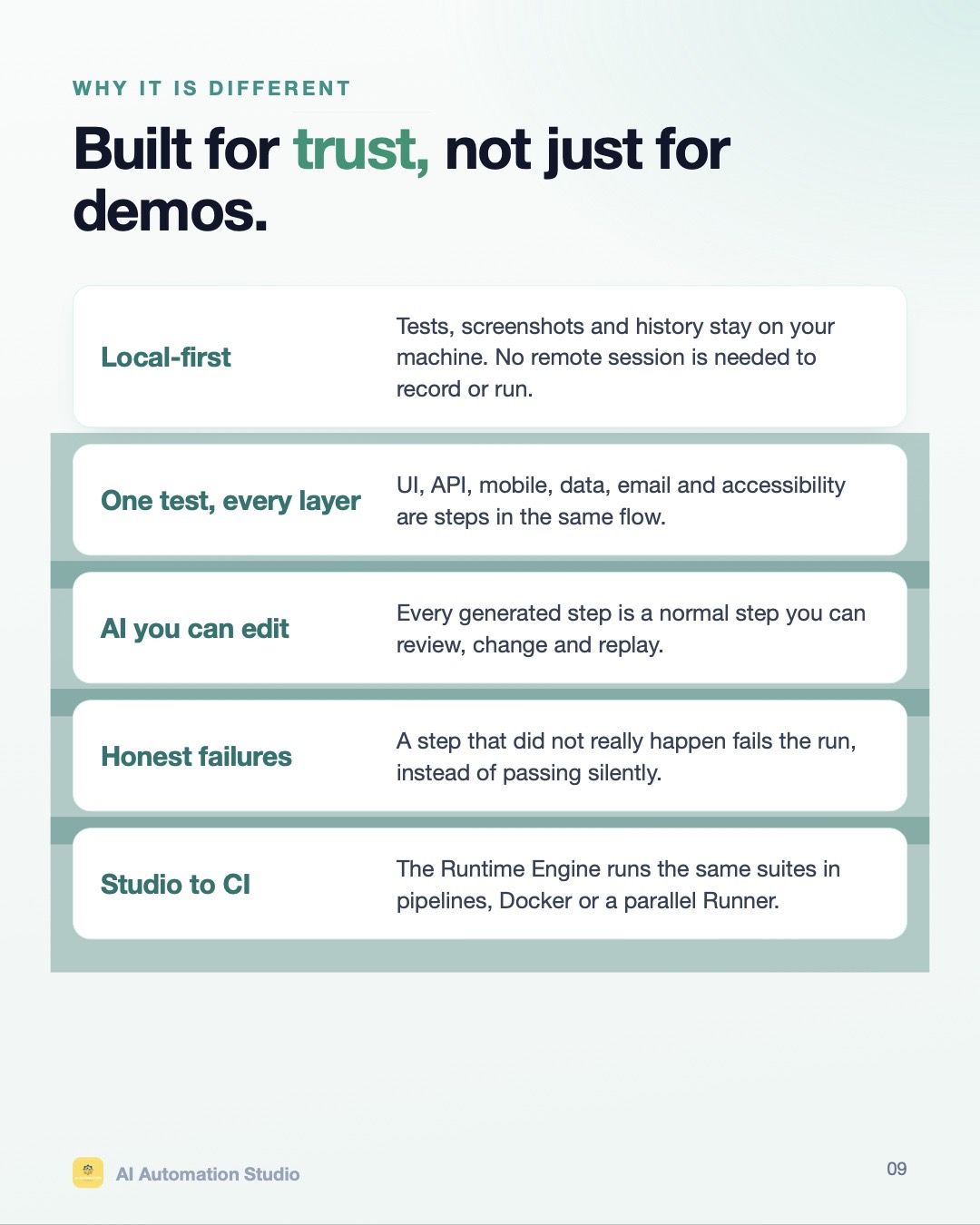
Tests, screenshots and history stay on your machine. Typed passwords and secrets are never sent to any AI model.
Record tests without code, run them on your own machine, and let QA Pilot — your AI test agent — find the cause of a failure, fix it and re-run it. Bring any AI model, or run fully offline.
#place-order → #submit-orderWorks with the AI you already trust
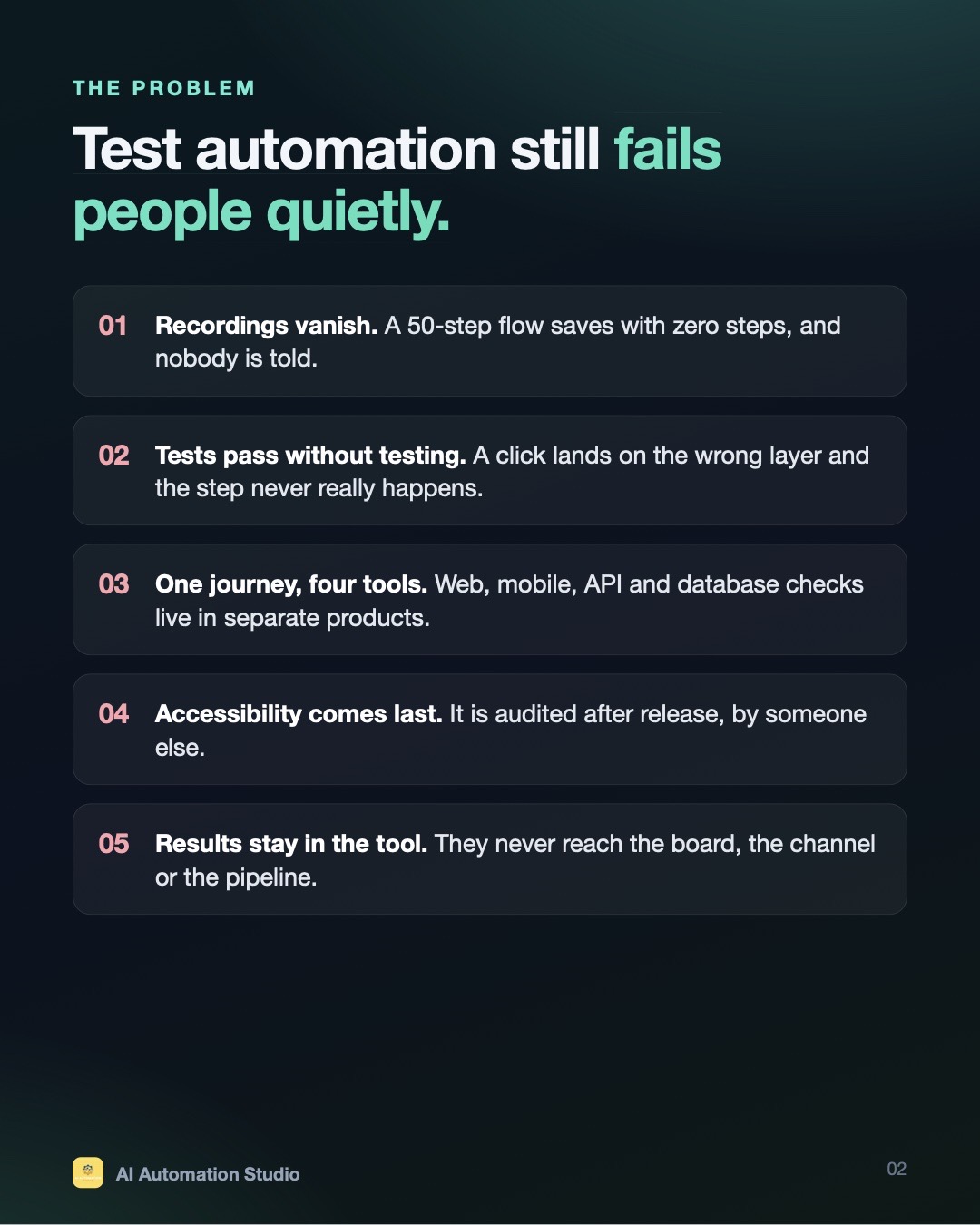
Recordings vanish. A 50-step flow saves with zero steps, and nobody is told.
Tests pass without testing. A click lands on the wrong layer and the step never really happens.
One journey, four tools. Web, mobile, API and database checks live in separate products.
Accessibility comes last. It is audited after release, by someone else.
Results stay in the tool. They never reach the board, the channel or the pipeline.
Tests, screenshots and history stay on your machine. Typed passwords and secrets are never sent to any AI model.
Gemini, OpenAI, Claude, Azure OpenAI, any OpenAI-compatible service — or a local model with zero internet.
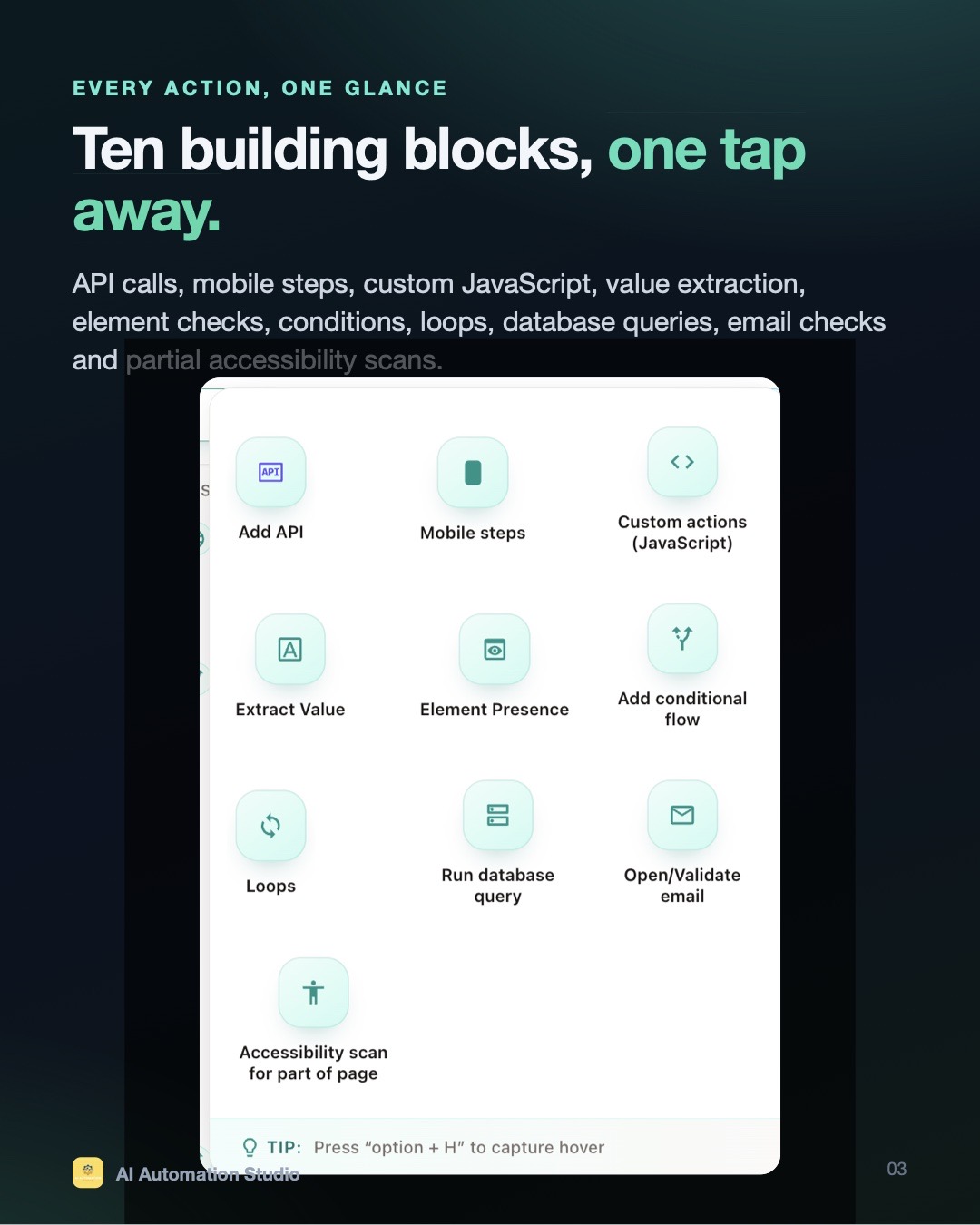
UI, API, mobile, database, email and accessibility are steps in the same flow.
A step that didn’t really happen fails the run. QA Pilot then finds the cause, fixes it and re-runs.
Go beyond clicks and typing — every block is a normal step you can review, edit and replay.
Swipe through or click a slide to view it full size.
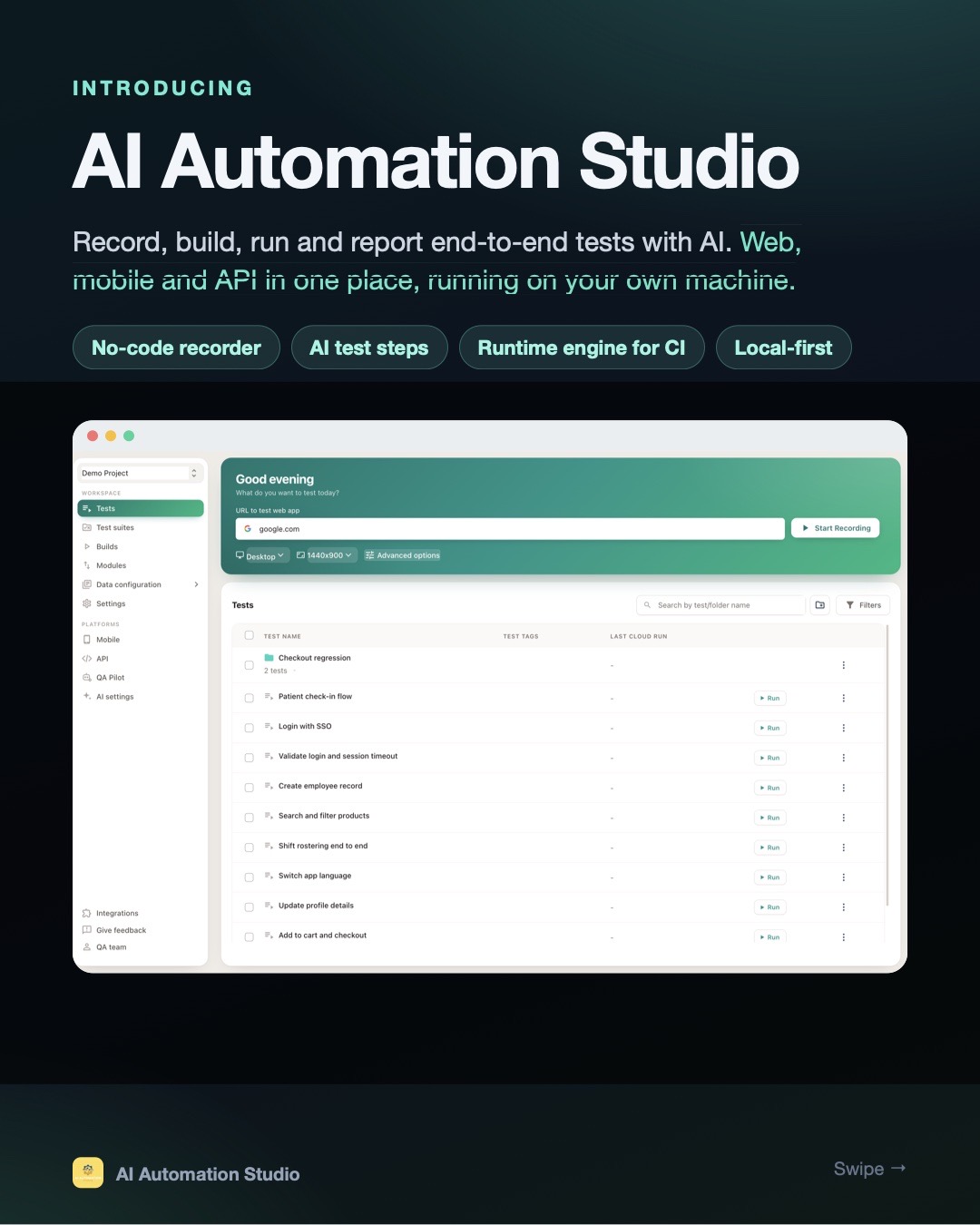
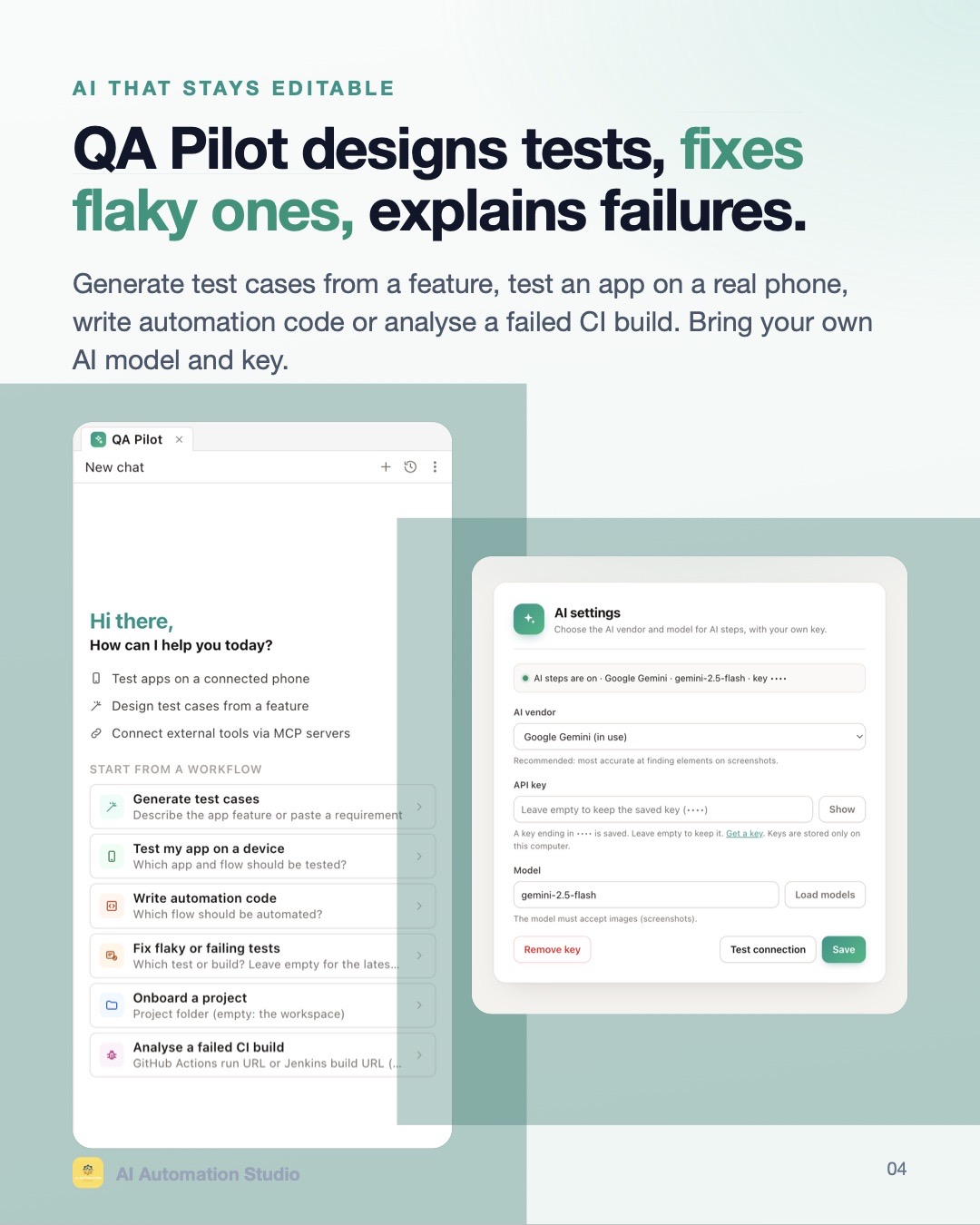
Click through your app; every action becomes a readable step with smart locators.
Describe a step in plain English and let your chosen AI model perform and validate it.
When an element moves or is renamed, the AI finds the same control and the run continues — clearly marked in results.
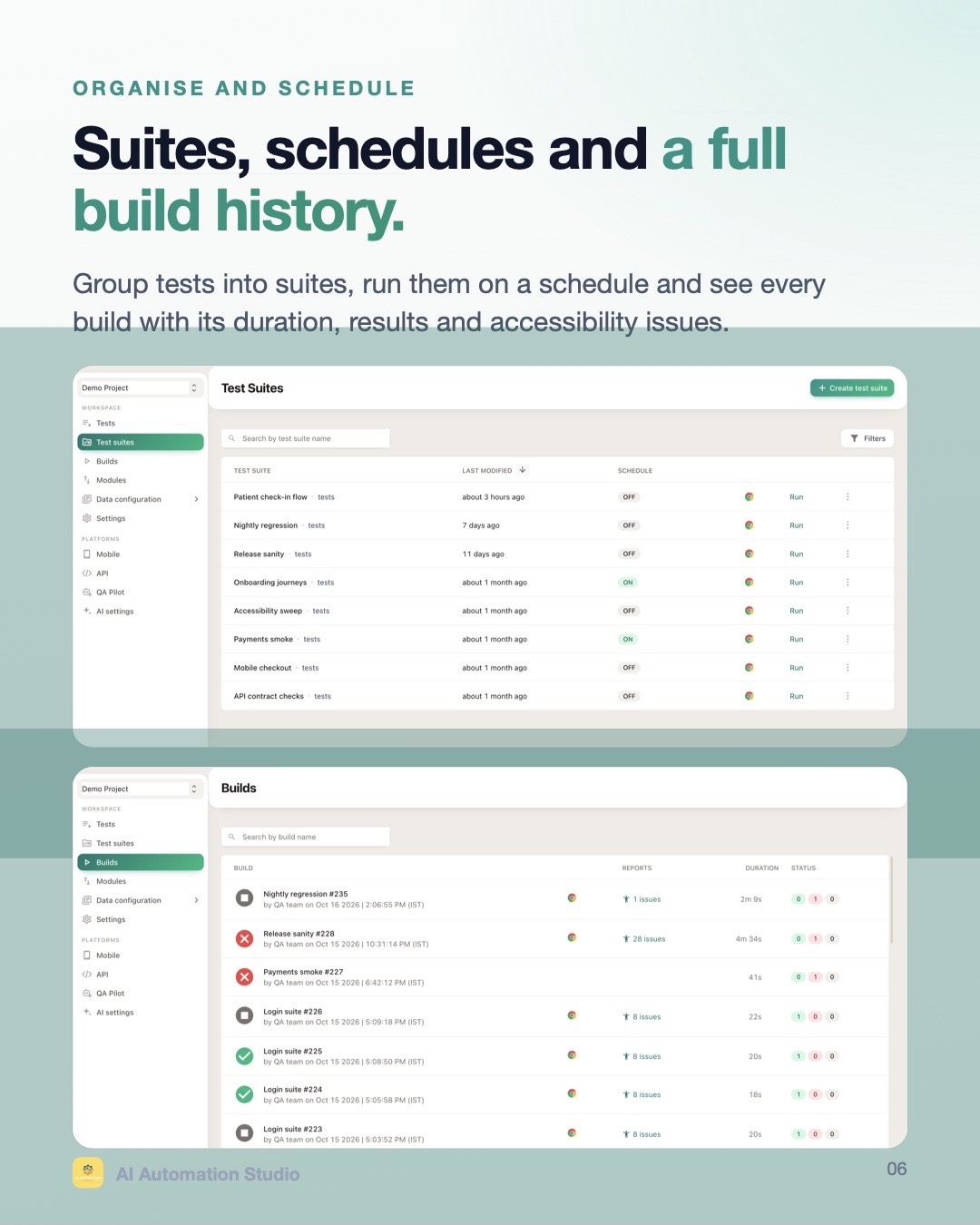
Group tests, run them on a schedule with test data, browser options and per-test video.
Scan a whole page or part of a page; issues show up in every build.
Every build with its duration, results, screenshots and accessibility issues.
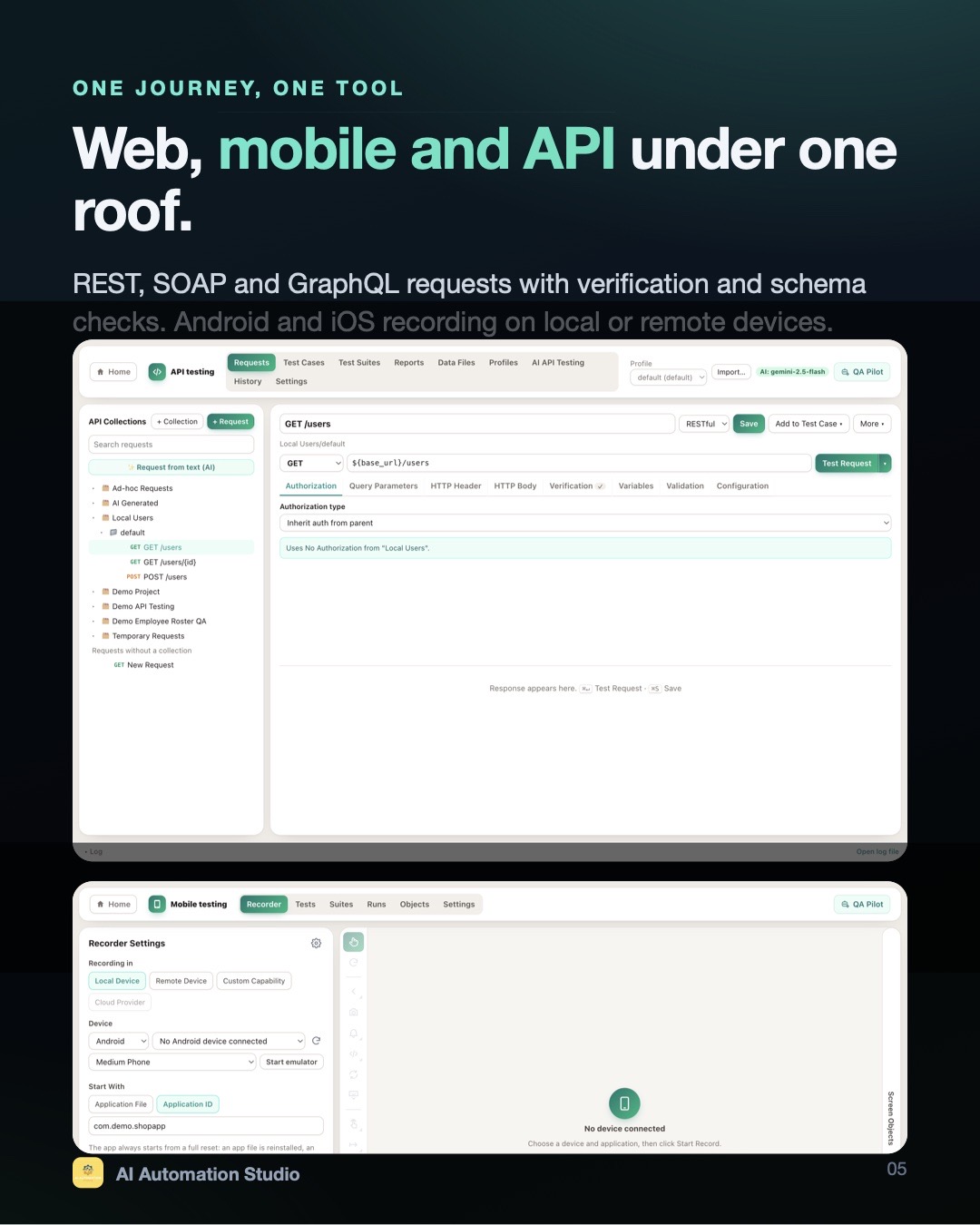
Emulators, simulators and real devices — local or remote. Click to tap, drag to swipe, live preview.
No fixed pauses — each step waits for its element and acts the moment it appears.
If a locator misses, saved alternatives are tried. Accept the one that worked with a click.
Reuse elements across tests; change a locator once, fix every test.
Per-step screenshots, timings and JUnit XML for your CI.
Hand steps to a phone mid-test in plain English — the AI reads the live screen on every run.
Collections, every common auth type including OAuth 2.0, Digest, NTLM and AWS Signature.
JavaScript checks with familiar keywords and Postman-style pm.* API.
JSON schema, XSD, GraphQL schema and OpenAPI / Swagger.
Point it at an OpenAPI spec: positive, negative, edge-case and security tests with a compliance report.
Profiles, encrypted secrets, data files and retry of failed runs.
Postman, OpenAPI, WSDL, SoapUI, cURL and whole Katalon projects.
Use your own Gmail inbox. Fresh address per run, read the email, extract the OTP — no paid test inboxes.
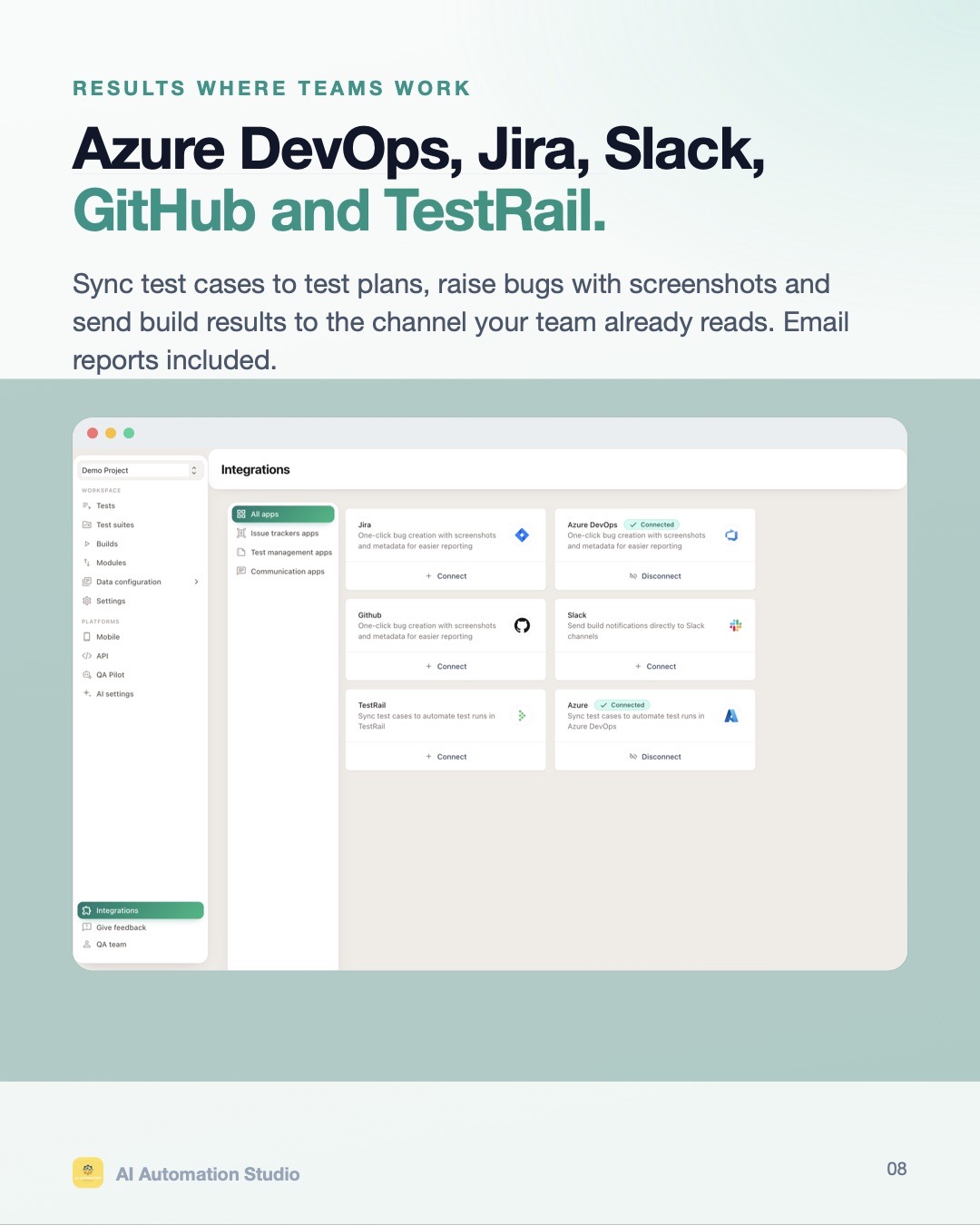
Raise bugs with screenshots in Jira, Azure DevOps and GitHub; Slack build results; TestRail and Azure Test Plans sync.
Connect any MCP server to QA Pilot — with secure sign-in and per-tool approval.
Local dashboards for pass rates, failures and run history.
Send build results to your team automatically.
Run a query mid-test and assert on the data your UI just created.
An AI test agent that knows your tests, suites, runs and failures — across web, mobile and API. Ask in plain English; it does the work and shows every step.
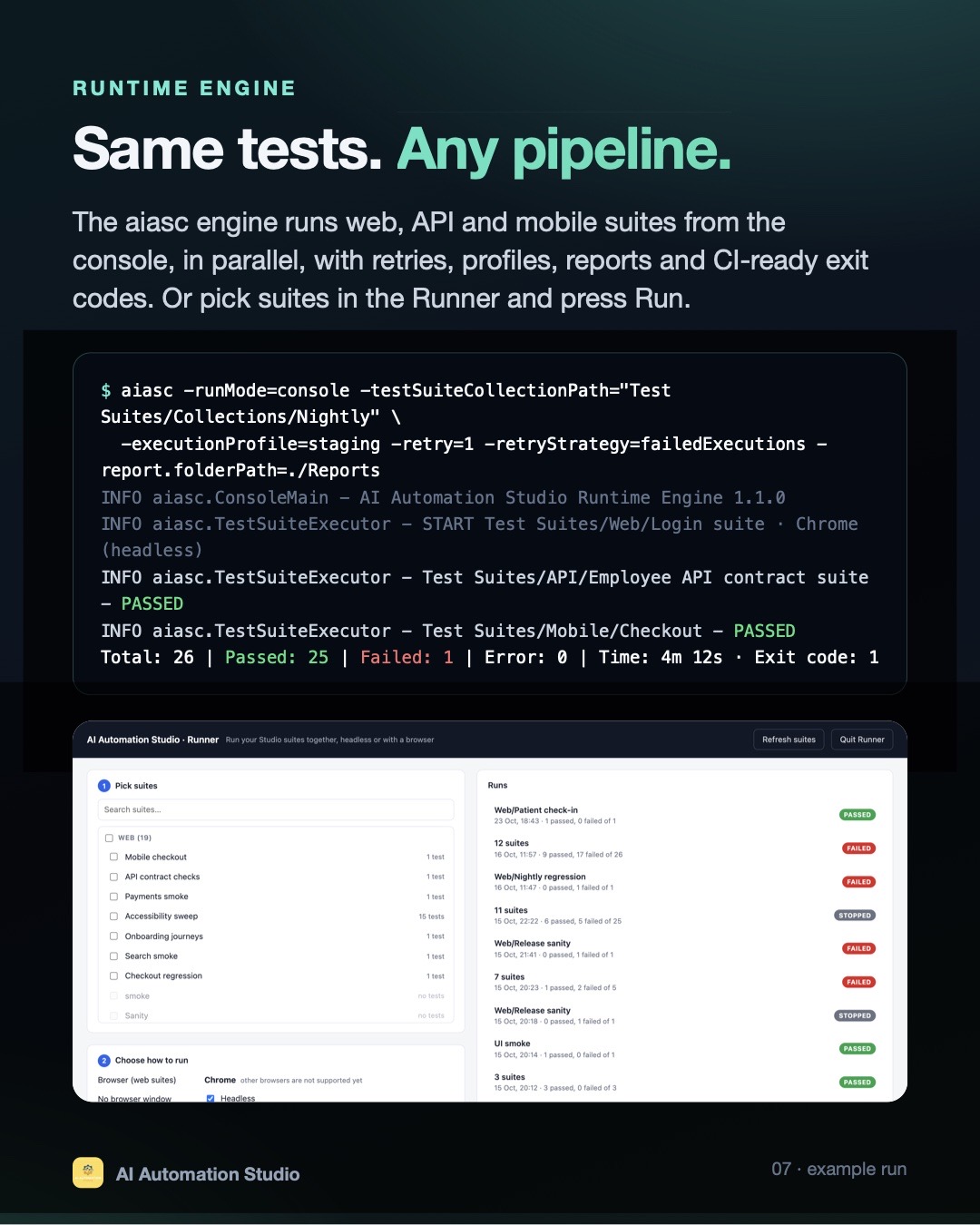
$ aiasc -runMode=console \
  -testSuiteCollectionPath="Test Suites/Collections/Nightly" \
  -executionProfile=staging -retry=1 \
  -retryStrategy=failedExecutions -report.folderPath=./Reports
INFO  AI Automation Studio Runtime Engine 1.1.0
INFO  START Web/Login suite · Chrome (headless)
INFO  API/Employee API contract suite — PASSED
INFO  Mobile/Checkout — PASSED
Total: 26 | Passed: 25 | Failed: 1 | Time: 4m 12s · Exit code: 1
The aiasc engine runs web, API and mobile suites from the console — in parallel, with retries, profiles, reports and CI-ready exit codes.
Banks, healthcare, government and enterprise teams choose local-first testing.
Tests, recordings, videos and reports are stored on your machine — not uploaded.
Passwords, tokens and masked variables are hidden in logs and reports and never sent to the AI.
Run a local model through Ollama or LM Studio for fully air-gapped AI.
Sign-in tokens are encrypted with a key held in the system keychain.
QA Pilot asks before it changes anything, and every change can be undone.
Integrations use your Jira, GitHub, Slack and Gmail accounts directly.
| AI Automation Studio | Cloud low-code tools | Legacy test suites | Open-source frameworks | |
|---|---|---|---|---|
| No-code recording | ✓ | ✓ | ✓ | — |
| Web + mobile + API in one tool | ✓ | Partial | ✓ | Separate tools |
| Web and phone steps in the same test | ✓ | — | — | Custom code |
| Database & email steps built in | ✓ | Partial | Partial | Custom code |
| Data stays on your machine | ✓ | — | Partial | ✓ |
| Choose any AI model / offline AI | ✓ | — | — | — |
| AI agent that fixes and re-runs failures | ✓ | Locator healing only | Locator healing only | — |
| MCP server support | ✓ | — | — | — |
| Console engine for CI with exit codes | ✓ | Cloud only | ✓ | ✓ |
| No per-run or parallel-run fees | ✓ | — | Partial | ✓ |
Import Katalon projects, Postman collections, OpenAPI, WSDL, SoapUI and cURL. Groovy scripts convert to JavaScript automatically.
Sign-up with email OTP, KYC on mobile, balance checks via API — with data kept in-house.
Checkout across web and app, payment APIs, and self-healing when the storefront changes.
Test patient portals without uploading sensitive screenshots or data to a third party.
One studio for every client’s web, mobile and API projects, with each client’s own AI keys.
Use your own AI key — you only pay your AI provider for what you use.
For individual testers
For QA teams
For regulated organisations
No. Record tests by clicking through your app. Engineers can still add JavaScript checks and custom steps when they want to.
Google Gemini, OpenAI, Anthropic Claude, Azure OpenAI and any OpenAI-compatible service such as OpenRouter, Groq or Mistral — or a local model through Ollama or LM Studio.
No. Tests, videos, reports and credentials are stored locally. Only the context needed for an AI step is sent to the AI provider you choose — and never typed passwords or secrets.
No. Every change asks for approval first and can be undone. If the failure is a real app bug, it reports it instead of “fixing” the test.
Yes. The Runtime Engine (aiasc) runs the same suites from the console, in parallel, with retries, profiles, reports and CI-ready exit codes — in any pipeline or in Docker.
Web browsers, Android and iOS (emulators, simulators and real devices), and REST, SOAP and GraphQL APIs.
Yes. Import Katalon projects, Postman collections, OpenAPI / Swagger, WSDL, SoapUI and cURL.
Book a demo below or message us on WhatsApp. We’ll walk you through the studio on your own app and set you up with a trial licence.
A 30-minute call: we record a flow from your product, break it, and watch QA Pilot fix it. Then you get a trial licence.